
How 3D Architectural Animations and Walkthroughs Are Made
How 3D architectural walkthroughs are actually built, stage by stage, the software behind them, and what separates a convincing walkthrough from a flat one.
Posted By
AndyPosted On
Apr 28, 2026
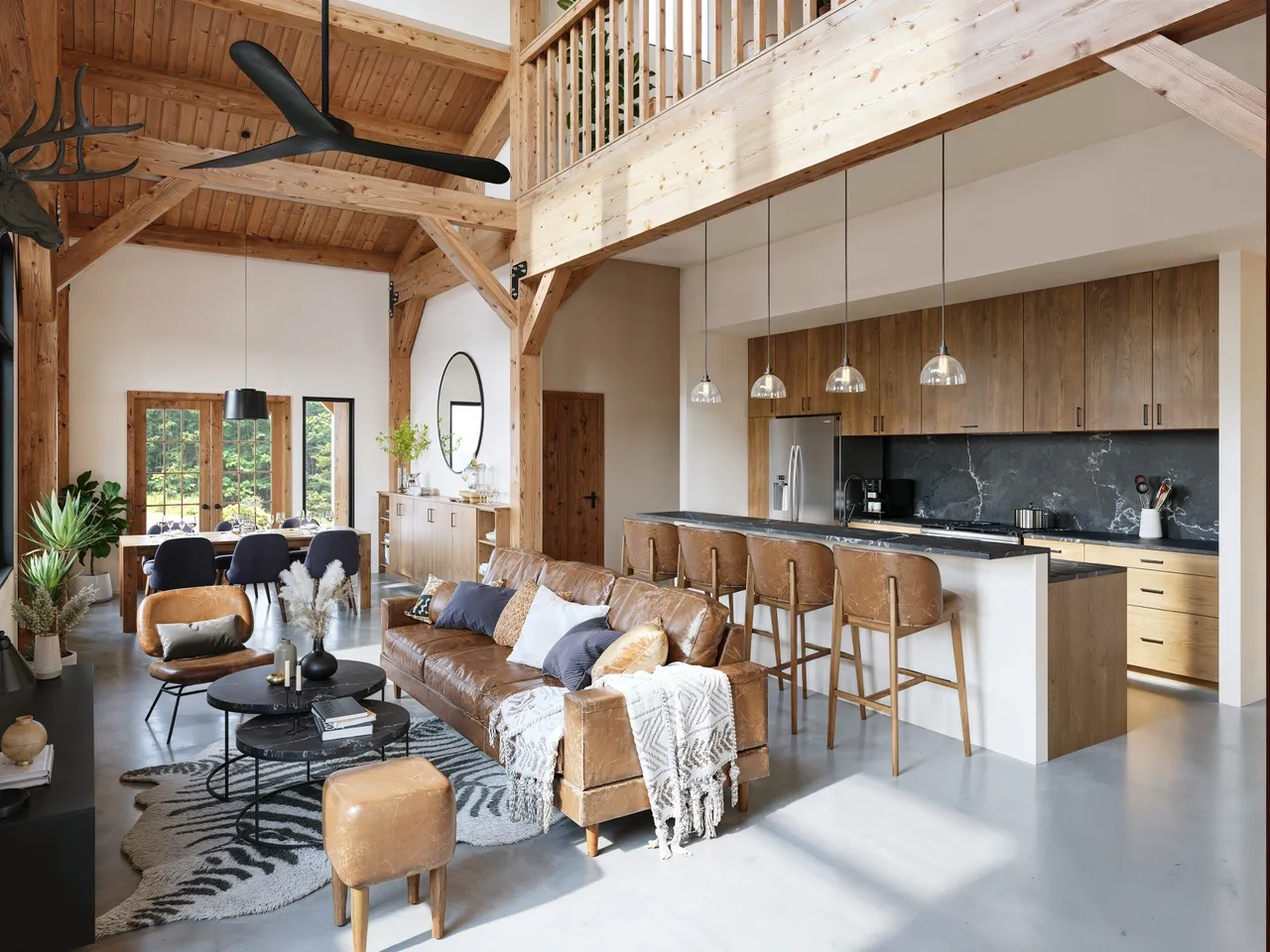
A 3D architectural walkthrough turns a set of plans into a moving camera tour through a building that does not exist yet. Done well, it lets a buyer, investor, or planning board experience the space, the light, and the flow before a single wall goes up. This guide walks through how those animations are actually built, the software involved, and what separates a convincing walkthrough from a flat one.
What a 3D walkthrough is, in one paragraph
A walkthrough is a rendered video. Instead of producing one still image of a room, the studio animates a virtual camera moving through a fully modeled, lit, and textured 3D scene, then renders every frame of that motion. A typical walkthrough runs 30 to 90 seconds at 24 to 30 frames per second, which means rendering between roughly 700 and 2,700 individual images and stitching them into a single clip. That frame count is the reason animation costs and timelines sit above still renders.
The production pipeline, step by step
Modeling
Everything starts with geometry. The team rebuilds the project from architectural drawings, CAD files, or a Revit and SketchUp model into a clean 3D scene. Walls, slabs, windows, stairs, and structural elements come first, then furniture, fixtures, landscaping, and the small props that make a space read as lived in.
Materials and texturing
Each surface gets a material: the grain direction of a wood floor, the roughness of brushed metal, the way light scatters through a marble countertop. Physically based rendering materials respond to light the way real materials do, which is what keeps a render from looking like plastic.
Lighting
Lighting is where a walkthrough becomes believable. Artists set up sun position and time of day, sky and ambient light, and interior fixtures, often using high dynamic range image maps (HDRI) to capture realistic environmental light. Global illumination then calculates how light bounces between surfaces, so a red sofa casts a faint warm tint on a nearby white wall, exactly as it would on site.
Camera and animation
The studio choreographs the camera path: where the tour begins, how it moves through doorways, where it slows to feature a kitchen island or a view. Good camera work mimics how a person would actually walk and look around, with steady speeds and natural pauses rather than drone-like fly-throughs that disorient the viewer.
Rendering
Now the computer does the heavy lifting. Each frame is calculated using a render engine that traces light paths through the scene. Because a scene can hold millions of polygons and complex lighting, frames are usually rendered on a render farm, a cluster of machines working in parallel, so a job that would take a single computer weeks finishes in hours or days.
Post-production and edit
Rendered frames are assembled in video software, then color graded for mood and consistency. Editors add depth of field, subtle motion blur, ambient sound, music, and on-screen titles. This final pass is what gives a walkthrough its cinematic feel.
The software behind it
Most architectural visualization studios work with a fairly consistent toolkit. Modeling and scene assembly happens in 3ds Max, SketchUp, Blender, or directly from Revit. Rendering is handled by engines such as V-Ray, Corona Renderer, or real-time engines like Unreal Engine and Twinmotion for faster turnaround. Editing and compositing run through After Effects, DaVinci Resolve, or Premiere. The exact mix varies by studio and by whether a project needs photoreal offline rendering or interactive real-time output.
Real-time versus offline rendering
There are two broad approaches, and the right one depends on the goal.
Offline rendering, with engines like V-Ray and Corona, computes each frame to a high level of physical accuracy. It produces the most photorealistic results and is the standard for marketing films and luxury presentations, at the cost of longer render times.
Real-time rendering, using game engines like Unreal, generates images instantly and allows interactive navigation, which is ideal for live client reviews, design iteration, and virtual reality tours. The trade-off is that pure real-time output has historically looked slightly less photoreal than offline, though that gap is closing quickly.
How long a walkthrough takes
Timeline depends on length, level of detail, and how finished the source model is. A short interior walkthrough from a clean model can move quickly, while a full exterior animation with landscaping, vehicles, and changing light needs more time in every stage. At Xrender Studio our standard delivery runs about two weeks, with a three to four day express option for tighter deadlines, and we confirm a fixed quote within 24 hours of receiving project files.
What makes a walkthrough actually good
Photorealism gets the attention, but the details below are what make a walkthrough persuasive rather than just pretty. Realistic lighting that matches the building's true orientation and time of day. Camera movement that feels human and never rushes past the spaces that sell the project. Material accuracy, so finishes read as the real specified products. And a clear narrative, where the tour is sequenced to answer the questions a buyer or board will ask.
Frequently asked questions
What is the difference between a 3D walkthrough and a flythrough?
A walkthrough follows a human eye-level path through interior and exterior spaces, the way a visitor would move. A flythrough uses an aerial, drone-style camera to show a building or development from above and around. Many projects use both.
Do you need a finished design to start an animation?
No. Animations are often produced during design development, which is part of their value. They help architects, developers, and investors evaluate and approve a project before construction. The more complete the model and finishes, the more photoreal the result.
How long should an architectural walkthrough be?
Most marketing walkthroughs land between 30 and 90 seconds. Long enough to tour the key spaces, short enough to hold attention on a listing page or in an investor presentation.
Can a walkthrough be turned into a VR or 360 experience?
Yes. The same 3D scene used for a linear animation can be exported as an interactive 360 tour or a VR experience, letting viewers look around each space at their own pace.
See how it works on a real project
Xrender Studio has produced architectural animations and walkthroughs for residential, commercial, and real estate development projects across more than ten countries since 2011. If you want to see whether an animation fits your project, send us the plans and we will walk you through the options. Reach the team at hello@xrender.studio.
Related Content
Our 3D Rendering Services
See how Xrender Studio can bring your project to life, from exterior and interior renderings to animation and virtual tours.
Serving projects nationwide